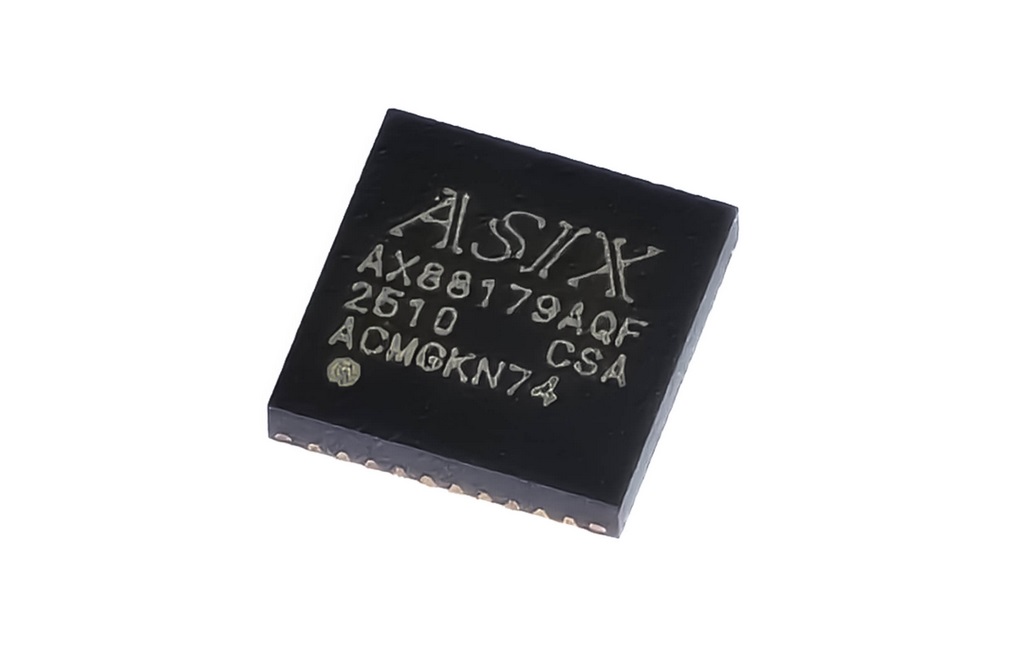
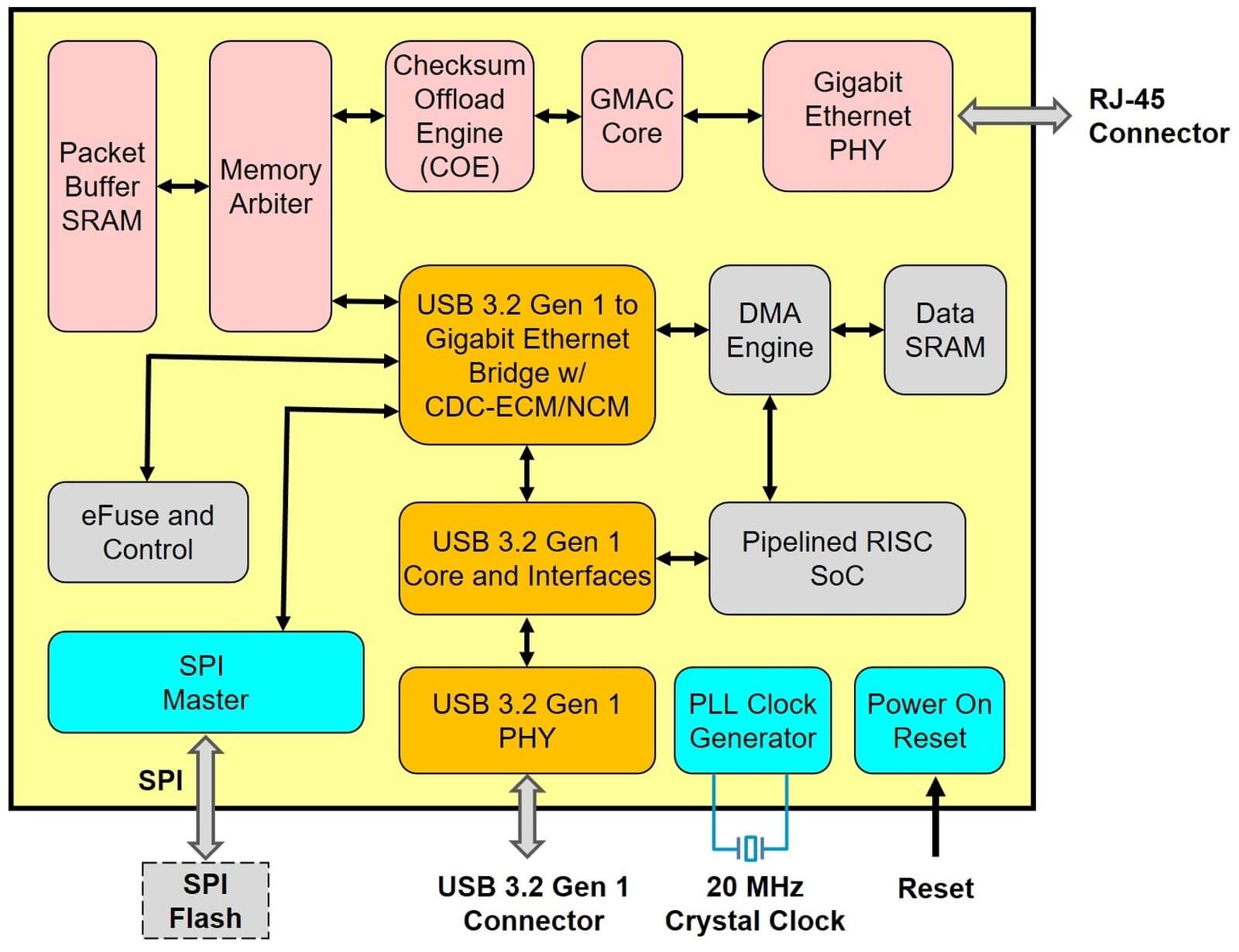
The AX88179A is a USB 3.2 Gen1 to Gigabit Ethernet controller with integrated 10/100/1000Mbps Gigabit Ethernet PHY. AX88179A supports Windows 11/10/8.x, Linux/Android/Chrome OS, Nintendo Switch in-box drivers, and iOS/iPadOS/macOS/Linux native CDC-NCM driver for driverless, Plug & Play.
AX88179A
USB 3.2 Gen1 to Gigabit Ethernet Controller
Add Favorites
Overview
Features
● Single chip USB 3.2 Gen1 to Gigabit Ethernet Controller with Integrated 10/100/1000Mbps Gigabit Ethernet PHY
Diagram
Development Board
AX88179A Demo Board
This is an AX88179A USB 3.2 Gen1 to Gigabit Ethernet dongle for users to verify AX88179A function on any platform that supports USB 3.2 Gen1 host interface
FAQs
Driver Installation
-
How to isolate AX88179A macOS driver cannot work fine issue after upgrading to new macOS system?
You can refer "System Information --> Network" to check your device correct product name. If it shows AX88179A, it can use macOS inbox CDC-NCM driver and does not need to install driver. Please Deactivate AX88179 dext driver first, and then uninstall ASIX_USB_Device_App, reboot system to use inbox CDC_NCM driver.
-
Where can I obtain the latest AX88179A drivers?
Please visit the AX88179A Driver Download web page.
-
Which AX88179A Windows driver should I download for my Windows system?
You can easily download the AX88179A Windows 11, 10, 8.x drivers setup programs from AX88179A Driver Download web page and then run the setup program to install a proper AX88179A Windows driver on your Windows machine directly.
-
How can I install AX88179A Linux driver on my Android tablet PC?
No, it could not be done by end users. To install AX88179A Linux driver on your Android tablet PC, you have to recompile AX88179A Linux driver source on your target Android tablet platform and then you can install the compiled AX88179A Linux driver on your Android platform. It can only be done by the manufacturer of your Android tablet PC. Please contact the support guys of your Android platform manufacturer for further support if necessary.
-
How to capture the VLAN tagged packets on Windows WireShark tool?
Please set the "Packet Priority & VLAN" parameter of ASIX USB to LAN Windows drivers to "Packet Priority & VLAN Disable" to capture the VLAN tagged packets on WireShark.
Design Considerations
-
Where can I obtain the latest AX88179A datasheet, reference schematic and other hardware design archives?
Please register MyASIX membership and then download the latest AX88179A datasheet, reference schematic, gerber/PCB layout files and application design note from AX88179A Product web page directly.
-
How to open the gerber files of AX88179A demo board?
You can open the gerber files of AX88179A demo board by running ORACLE's AutoVue Evaluation Revision tool (30 days evaluation date). Please visit ORACLE's web site for more details.
-
How to open the PowerPCB PCB layout file of AX88179A demo board?
You can open the PowerPCB PCB layout file of AX88179A demo board by running Mentor Graphics PADS Layout Product Evaluation Software (No time limitation but with limited function). Please visit Mentor Graphics' web site for more details.
-
Can ASIX help me to review my own AX88179A schematic and PCB layout?
Yes, please deliver your own AX88179A schematic and PCB layout files to ASIX's Support (support@asix.com.tw) for further review before making your own AX88179A PCB board.
-
Do I need to develop AX88179A drivers by myself?
No, the AX88179A already supports available device drivers for most of operating systems such as Windows 11/10/8.x, Linux, macOS(Using macOS native CDC-NCM driver) etc. Please visit AX88179A Driver Download web page for details.
-
What is the specification of 20MHz reference crystal of AX88179A demo board?
The 20MHz crystal signals of AX88179A demo board should be winthin 20MHz +- 30ppm. Please refer to AX88179A USB 3.2 Gen1 to Gigabit Ethernet Application Design Note for details.
-
What is the reference Gigabit Ethernet transformer of the AX88179A demo board?
The reference Ethernet transformer on the AX88179A demo board is the Bothhand LA1S109-43 (Turns Ratio 1CT:1CT, Auto-MDIX) single RJ-45 connector integrated 10/100/1000M Base-T magnetic. Please refer to AX88179A USB 3.2 Gen1 to Gigabit Ethernet Application Design Note for details.
-
What kind of external SPI flash is supported by AX88179A?
The SCLK must be supported 40MHz for READ instruction and size 1Mbit above.
-
How do I program the AX88179A external SPI flash or eFuse?
ASIX Electronics provide Windows/Linux programming tools for customers to easily program AX88179A external SPI flash or eFuse on a typical Windows/Linux platforms. These AX88179A programming tools support to customize the MAC address, Serial Number, LED setting, etc. for AX88179A based application systems in mass production.
-
Do I have to assign a unique MAC address to every AX88179A based devices?
No, every AX88179A comes with a unique MAC address.
-
Did the AX88179A pass the USB-IF compliant certification?
Yes, AX88179A demo board was certified by USB-IF.
Download
Hardware Design Documentation
AX88179A USB 3.2 Gen1 to Gigabit Ethernet Applications Design Note
Software & Tools
Apple macOS Driver
Using macOS native CDC-NCM driverRelease Date
2025-11-05
Windows 11 64-bit Driver
For x64 CPU platform, HLK/WHCK certifiedWindows 11 64-bit HLK/WHCK drivers setup program
For x64 CPU platform, HLK/WHCK certifiedWindows 11 ARM 64-bit Driver
For ARM x64 CPU platform, HLK/WHCK certifiedWindows 11 ARM 64-bit HLK/WHCK drivers setup program
For ARM x64 CPU platform, HLK/WHCK certifiedWindows 10 64-bit Driver
For x64 CPU platform, HLK/WHCK certifiedWindows 10 64-bit HLK/WHCK drivers setup program
For x64 CPU platform, HLK/WHCK certifiedWindows 8 32-bit Driver
For x86 CPU platform, HLK/WHCK certifiedWindows 8 64-bit Driver
For x64 CPU platform, HLK/WHCK certifiedUEFI X64/IA32 Drivers
For UEFI X64/IA32 platformsUEFI ARM/AARCH64 Drivers
For UEFI ARM/AARCH64 platforms